

MCP tool calls are ordinary API calls underneath. They spend the same credits and count against the same rate limits as REST requests — see Plans & credits. A missing or invalid credential is rejected with
401 before any data is read.Claude
Claude on the web, Claude Desktop, and Cowork all connect the same way, through connectors:- Open Customize → Connectors in Claude’s settings.
- Click Add custom connector (top-right corner), paste
https://mcp.focusalpha.ai/mcp, and save. Leave the OAuth fields under Advanced settings empty. - Click Connect, then sign in with your FocusAlpha account when prompted and click Approve.
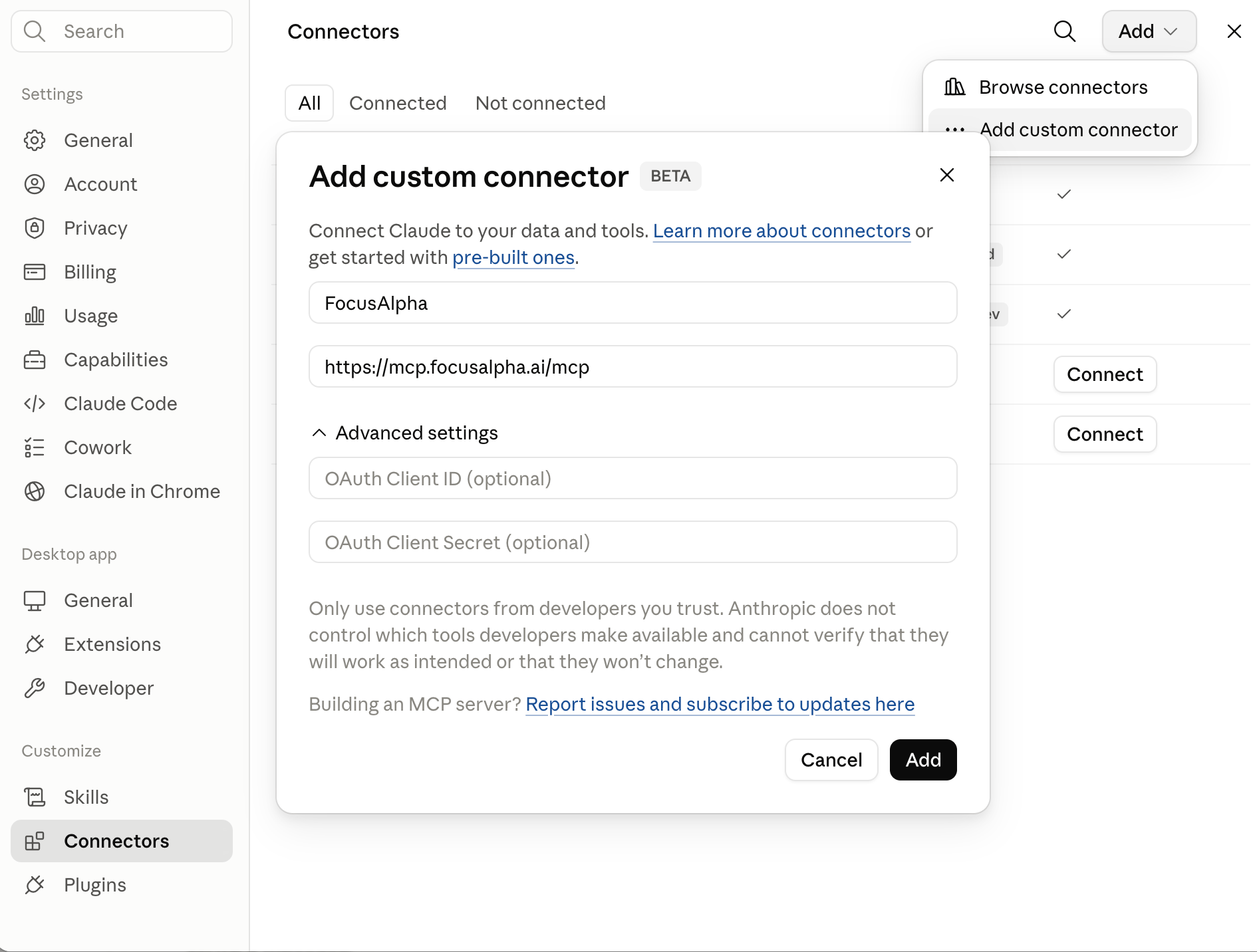
The Add custom connector dialog
ChatGPT
In the ChatGPT desktop app:- Open Settings → Plugins, switch to the MCPs tab, and click Add servers.
- Choose Streamable HTTP as the type, set Name to
FocusAlpha, and pastehttps://mcp.focusalpha.ai/mcpinto the URL field. Leave the bearer-token and header fields empty, then click Save.
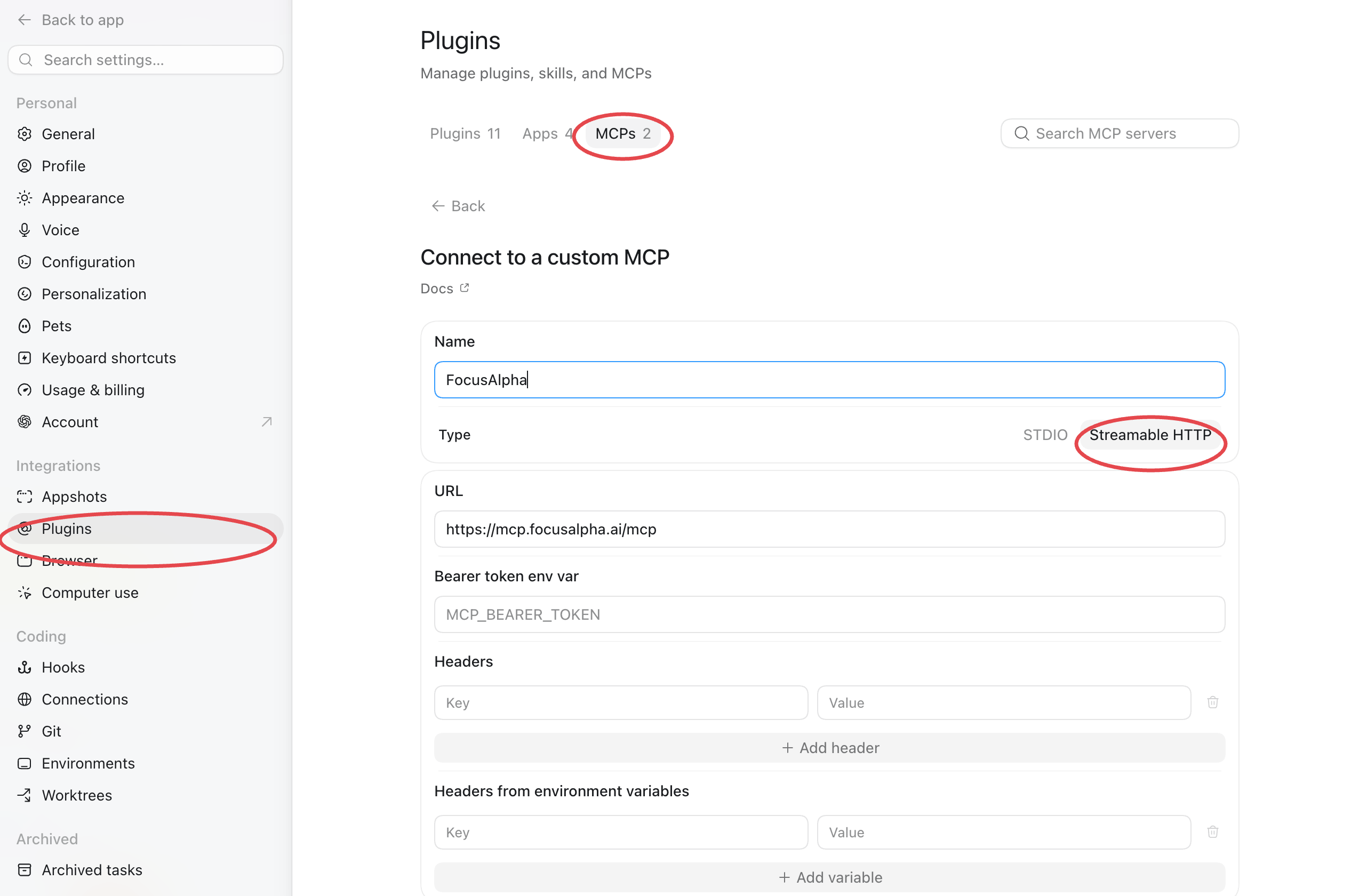
Settings → Plugins → MCPs → Streamable HTTP
- Click Authenticate next to the FocusAlpha server and sign in with your FocusAlpha account — the server won’t return data until you do.
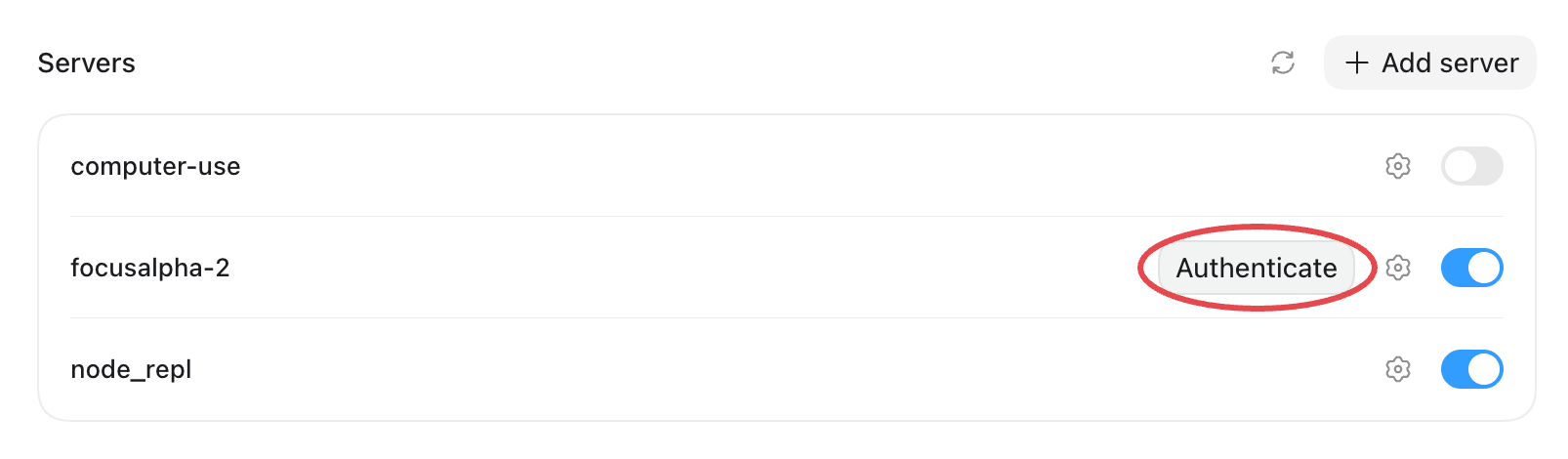
Authenticate the server after saving
- Enable Developer mode in ChatGPT settings (under Advanced settings on most accounts; some show it under Security and login). On Business, Enterprise, and Edu plans a workspace admin has to allow developer mode first.
- Open Settings → Connectors and click Create.
- Name it
FocusAlpha, set the MCP server URL tohttps://mcp.focusalpha.ai/mcp, choose OAuth as authentication, and save — then sign in with your FocusAlpha account and click Approve. - In a chat, click +, choose Developer mode, and enable the FocusAlpha connector for that conversation.
Cursor
One click — Cursor opens its MCP settings with the server pre-filled; click Connect (or Needs login) to sign in: Or configure it by hand in
 .cursor/mcp.json (project) or ~/.cursor/mcp.json (global) — replace fa_live_your_key_here with a key from the API keys page, or drop the headers line entirely to use the sign-in flow:
VS Code
One click — VS Code asks you to trust the server, then prompts for the sign-in: Install in VS Code Or add it by hand: run MCP: Add Server from the Command Palette, or create.vscode/mcp.json:
"headers" object with the Authorization header if you prefer a pinned key.
Claude terminal
In the Claude Code terminal, one command adds the server:/mcp inside Claude Code and choose Authenticate — the sign-in opens in your browser, and you’re done.
Alternatively, you can skip the sign-in by attaching an API key directly. fa_live_your_key_here is a placeholder — replace it with a real key, created on the API keys page of your dashboard:
Workbuddy (Tencent)
- Open Workbuddy → MCP 服务管理, then Add MCP server (配置 MCP).
- Paste this into
mcp.jsonand click 保存 / Save:
- Reload Workbuddy — the FocusAlpha tools are picked up automatically.
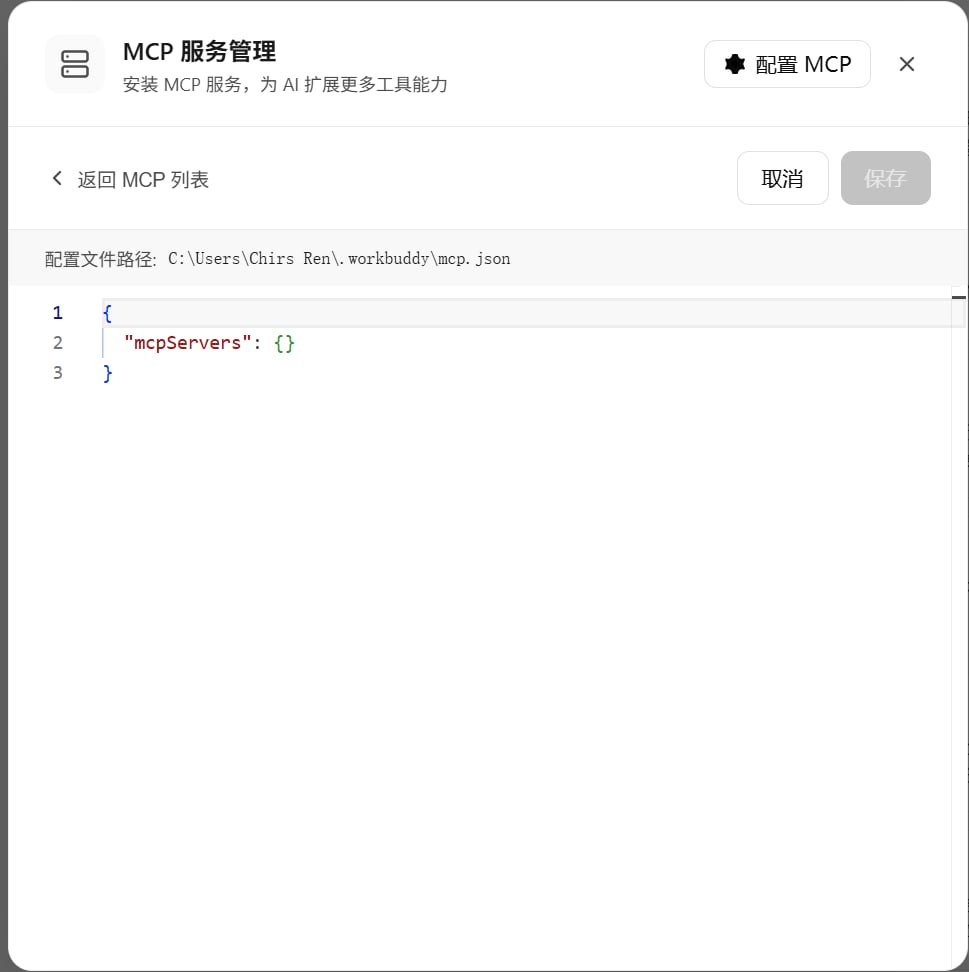
Workbuddy → MCP 服务管理 config editor
Other MCP clients
Any MCP client that speaks the streamable HTTP transport works: configure the URL, then either complete the sign-in flow (if the client supports MCP authorization) or attach theAuthorization header. Nothing else is required.
This is the data server. Separately,
https://docs.focusalpha.ai/mcp serves this documentation site itself over MCP (search and read the docs) — no API key required. Connect both if you want an agent that can look up the docs and pull the data.Available tools
Tools map one-to-one onto the REST API. The model can also calllist_datasets and list_coverage at any time to discover what is available and how fresh it is.
Every tool is available on every plan; plans differ in credits and rate limits (see Plans and credits). When your credits run out, tools return a clear message rather than data.
Related pages
Authentication
Creating and managing the API key your MCP client uses.
Plans & credits
What each plan unlocks and how tool calls are metered.